Automate Expense Classification in Your CPA Workflow

Automated expense classification is defined as the use of AI pattern recognition to assign tax categories to transactions without manual coding, directly inside a CPA workflow. Pattern-based AI categorization achieves 85%–95% accuracy on the first import, requiring manual review for only 5%–15% of transactions. That accuracy level means most of a client's bank activity arrives pre-coded and ready for review, not reconstruction. For CPA firms running 40 or more clients through tax season, AI-driven categorization reduces manual coding time by approximately 67%, saving 160–320 hours per season. The technology integrates directly with existing accounting platforms, so there is no client migration required.
How to automate expense classification in a CPA workflow
The standard industry term for this process is automated transaction categorization, though CPAs commonly refer to it as expense classification automation. Understanding the distinction matters because the underlying technology varies significantly depending on the method used.

Rule-based vs. pattern-based classification
Rule-based systems, such as bank rules in QuickBooks, work by matching a vendor name to a fixed category. They plateau at roughly 40% accuracy because they cannot adapt to new vendors, split transactions, or client-specific spending behavior. Pattern-based AI classification reads multiple signals simultaneously: vendor identity, transaction amount, purchase timing, payment frequency, and historical client behavior. Rule-based systems plateau at around 40% accuracy, while pattern-based AI starts at 85% out of the box. That gap closes further as the system learns each client's vendor mix over time.
How confidence scoring protects data integrity
Every AI classification carries a confidence score, a numeric rating indicating how certain the model is about a given category assignment. Transactions above the confidence threshold post automatically. Transactions below it enter a review queue for human judgment. This design keeps data integrity intact without requiring CPAs to manually touch every line item. Direct API integrations with QuickBooks, Xero, and Sage synchronize classified transactions in real time, pushing confidence scores directly into the client's existing books.
Pro Tip: Set your confidence threshold conservatively at first, around 80%, and tighten it as the system learns your client's vendor patterns. A lower threshold means more items in the review queue, but fewer misclassifications reaching the tax workpaper.
| Method | Accuracy | Adapts to new vendors | Requires manual rules |
|---|---|---|---|
| Rule-based (bank rules) | ~40% | No | Yes |
| Pattern-based AI | 85%–95% | Yes | No |
How should CPAs prepare their workflows before automating?
Process standardization before automation is the single most important factor in classification accuracy. Experts advise mapping every client journey stage before selecting any software. Automating a chaotic Chart of Accounts produces chaotic output at scale. The preparation phase is where most CPA firms either set themselves up for success or create a cascading effect of misclassification errors that take months to untangle.
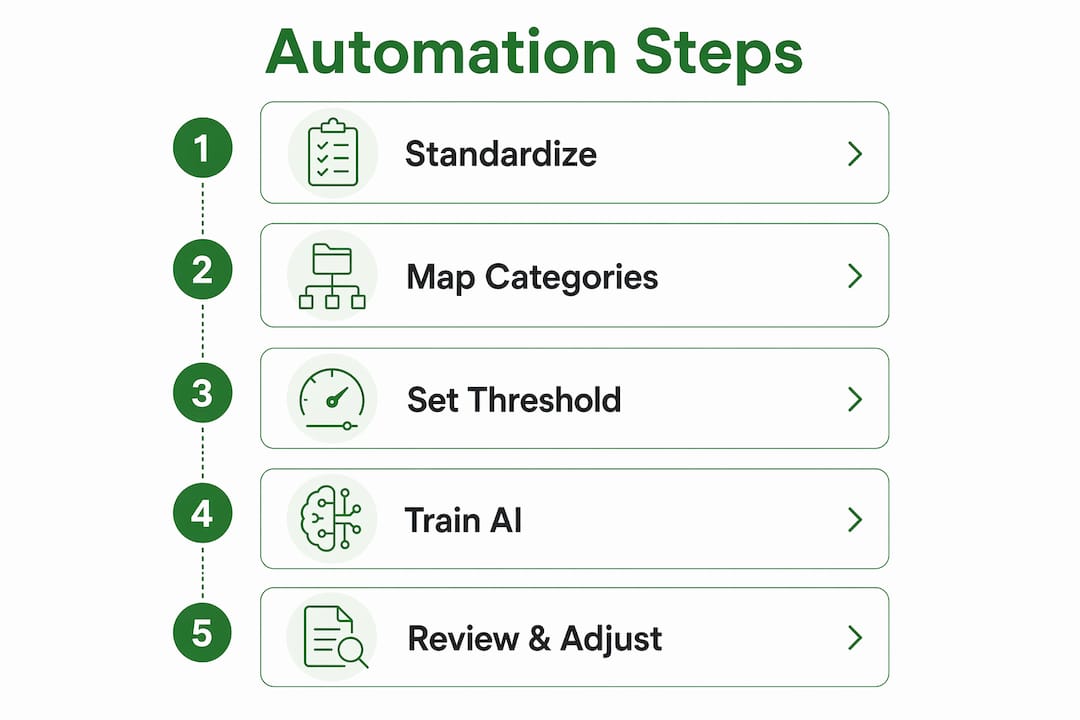
Standardizing the Chart of Accounts and setting precise category mappings before automation drastically reduces classification errors and improves AI learning quality. The AI model trains on the categories you give it. If those categories are inconsistent across clients, the model cannot generalize effectively.
Follow these steps before activating any automation:
- Audit your Chart of Accounts across all clients. Identify inconsistencies in category names, numbering, and depth. Standardize to a master template where possible.
- Map every expense category to the correct IRS Schedule C line item. Ambiguous categories like "Miscellaneous" are a liability. Replace them with specific line items before the AI ever sees a transaction.
- Build internal review checklists. Define which transaction types always require human sign-off, regardless of confidence score.
- Configure expense categories at client onboarding. Upfront category setup reduces end-of-year sorting by 4–8 hours per client. Tax preparation becomes a review, not a reconstruction.
- Document your automation rules in writing. Staff turnover is real. A written record of category logic protects data integrity when team members change.
Pro Tip: Treat client onboarding as your automation configuration session. Thirty minutes spent mapping a new client's vendor list to Schedule C categories at the start of the year eliminates hours of reclassification work in april.
The payoff from this preparation is significant. When expense categories match tax workpapers from day one, year-end close shrinks from a multi-week reconstruction effort to a targeted review of flagged items. That shift frees CPA capacity for advisory work, not data entry.
What practical steps implement automated expense classification?
Rolling out automation works best as a phased process, not a firm-wide switch. Experts recommend starting with one high-volume task, testing and refining over 2–4 weeks before expanding. This approach limits disruption and gives your team time to calibrate the system before it touches every client file.
Here is a practical implementation sequence:
- Select an AI-powered categorization tool that integrates directly with your clients' existing accounting books. Prioritize tools with native QuickBooks or Xero connectors and visible confidence scoring.
- Implement automated receipt capture. Tools that scan Gmail or pull from card feeds eliminate the need for clients to submit receipts manually. Zero client effort means higher data completeness.
- Run a test cycle on one high-volume client. Measure first-import accuracy, time spent in the review queue, and any misclassification patterns. Document findings before expanding.
- Train staff on review queue management. The review queue is not a failure state. It is the system working correctly. Staff should understand how to resolve flagged transactions and feed corrections back into the model.
- Use confidence scoring reports to track improvement. Pull a weekly report showing the percentage of transactions auto-classified above threshold. A rising trend confirms the model is learning.
- Link automation outputs to your tax preparation software. Classified transactions should flow directly into tax workpapers, cutting the manual export and import steps that create transcription errors.
Taxbatchpro supports this workflow by converting scanned bank and credit card statement PDFs into structured, IRS Schedule C-mapped Excel spreadsheets. For CPAs handling clients who submit paper statements or PDFs, AI document extraction removes the manual transcription step entirely before categorization even begins.
Key benefits of a phased rollout include:
- Reduced risk of firm-wide disruption during active client work
- Faster staff training on a single client before scaling
- Clear performance benchmarks from the test cycle
- Confidence in the system before expanding to complex or high-risk clients
What are common challenges in automating expense classification?
Misclassification is the most common obstacle, and it almost always traces back to an inconsistent Chart of Accounts or a client with unusual vendor behavior. Automating critical error points such as receipt capture, validation rules, and category enforcement reduces error rates and processing costs. The system cannot fix upstream data problems. If a client uses a single credit card for both personal and business purchases, no AI model will classify those transactions correctly without human intervention.
"Automation enforces policy at submission. The firms that struggle are the ones that automate before they have a policy to enforce. Fix the process first, then let the technology hold it in place."
Common challenges and how to address them:
- Vendor anomalies: A client who buys office supplies at Costco alongside groceries creates ambiguous transactions. Build a vendor exception list and review it quarterly.
- Flagged transaction backlog: If the review queue grows faster than staff can clear it, lower the confidence threshold temporarily and add a weekly queue review session to the team calendar.
- Overreliance on automation: Schedule a monthly sample audit of auto-classified transactions. Pull 20–30 random items and verify accuracy manually. This catches model drift before it compounds.
- Evolving client businesses: A client who adds a new revenue stream mid-year may introduce vendor categories the model has never seen. Update category mappings at each significant business change.
- Incremental integration: Treating automation as iterative and improving processes based on frontline feedback produces better long-term accuracy than a single large deployment.
The firms that maintain the highest classification accuracy treat automation as a living system. They review, retrain, and refine on a regular schedule rather than configuring once and walking away.
Key takeaways
Automating expense classification in a CPA workflow requires standardized data structures, phased implementation, and ongoing human oversight to achieve and maintain 85%–95% accuracy.
| Point | Details |
|---|---|
| AI accuracy advantage | Pattern-based AI starts at 85%–95% accuracy versus 40% for rule-based bank rules. |
| Preparation is non-negotiable | Standardize the Chart of Accounts and map Schedule C categories before activating any automation. |
| Phased rollout reduces risk | Start with one high-volume client, measure results over 2–4 weeks, then expand. |
| Confidence scoring protects quality | Use confidence thresholds to auto-post high-certainty items and flag the rest for human review. |
| Automation saves significant time | A 40-client practice can recover 160–320 hours per tax season through AI-driven categorization. |
What I've learned from watching firms automate too fast
The firms I've seen struggle with expense classification automation share one trait: they bought the technology before they fixed the process. They assumed the AI would sort out their inconsistent Chart of Accounts, their mixed-use client cards, and their undocumented review procedures. It doesn't. The AI amplifies whatever structure you give it. Give it chaos, and you get faster chaos.
The firms that get it right start with a two-week process audit before touching any software. They map every category to a specific Schedule C line item, retire the "Miscellaneous" catch-all, and document who reviews what and when. By the time the AI sees its first transaction, the rules are already clear. The model just enforces them at scale.
What surprises most CPAs is how quickly the capacity gains show up. When organizing business expenses becomes a year-round automated process rather than a january scramble, the advisory conversation with clients changes. You stop spending the first meeting reconstructing last year's books. You start spending it on planning for next year. That shift is where the real value of automation lives, not in cost reduction, but in the quality of work your firm can offer.
My advice: automate one client completely before touching a second. Learn what the review queue tells you. Let the model train on real data. Then expand with confidence, not optimism.
— Ian
Taxbatchpro: built for CPA workflow automation
CPAs who handle clients submitting PDF bank statements face a specific bottleneck: the data is locked in a format that no categorization engine can read directly. Taxbatchpro solves that problem at the source.
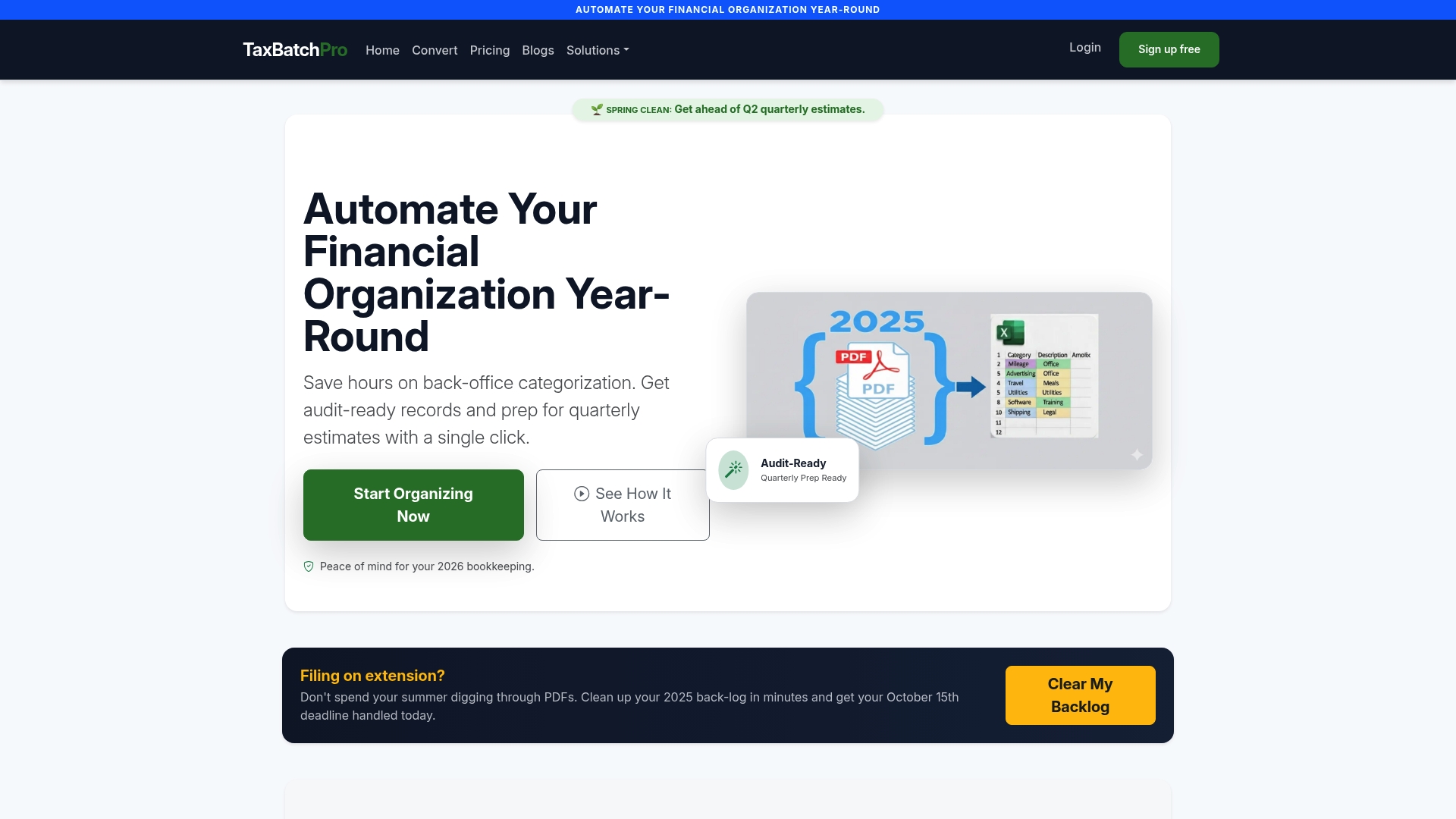
Taxbatchpro's AI converts scanned bank and credit card statement PDFs into structured, IRS-ready Excel spreadsheets mapped to Schedule C categories, processing a full year of statements in under 90 seconds. For accounting professionals managing multiple clients, the statement extraction service handles batch uploads without requiring any change to the client's existing accounts or banking setup. The result is clean, categorized transaction data that feeds directly into your tax preparation workflow, with no manual transcription and no client disruption.
FAQ
What is automated expense classification in a CPA workflow?
Automated expense classification uses AI pattern recognition to assign tax categories to transactions without manual coding. It integrates with accounting platforms like QuickBooks and Xero to deliver pre-coded transaction data directly into CPA review queues.
How accurate is AI expense classification on the first import?
Pattern-based AI categorization achieves 85%–95% accuracy on the first import. Only 5%–15% of transactions require manual review, compared to roughly 60% with traditional rule-based bank rules.
What should CPAs do before automating expense classification?
CPAs should standardize their Chart of Accounts, map all expense categories to IRS Schedule C line items, and document internal review procedures before activating any automation. Automating a non-standardized workflow produces misclassification errors at scale.
How much time can a CPA firm save by automating expense categorization?
A 40-client practice can save 160–320 hours during tax season by implementing AI-driven expense categorization. That figure reflects a 67% reduction in manual coding time per client file.
How does Taxbatchpro fit into an automated expense classification workflow?
Taxbatchpro converts PDF bank and credit card statements into structured, Schedule C-mapped Excel files in under 90 seconds. It removes the manual transcription step that blocks AI categorization tools from processing clients who submit paper or PDF statements.