How to Organize Business Expenses for Tax Time

Organizing business expenses at tax time means maintaining clear, categorized, and well-documented financial records that align with IRS requirements. This practice, formally called expense management, goes far beyond collecting receipts. It covers policy compliance, automatic categorization, and real-time visibility into your spending. Small business owners and freelancers who build this discipline year-round file faster, deduct more, and face far less audit risk than those who scramble in april.
How do you organize business expenses for tax time?
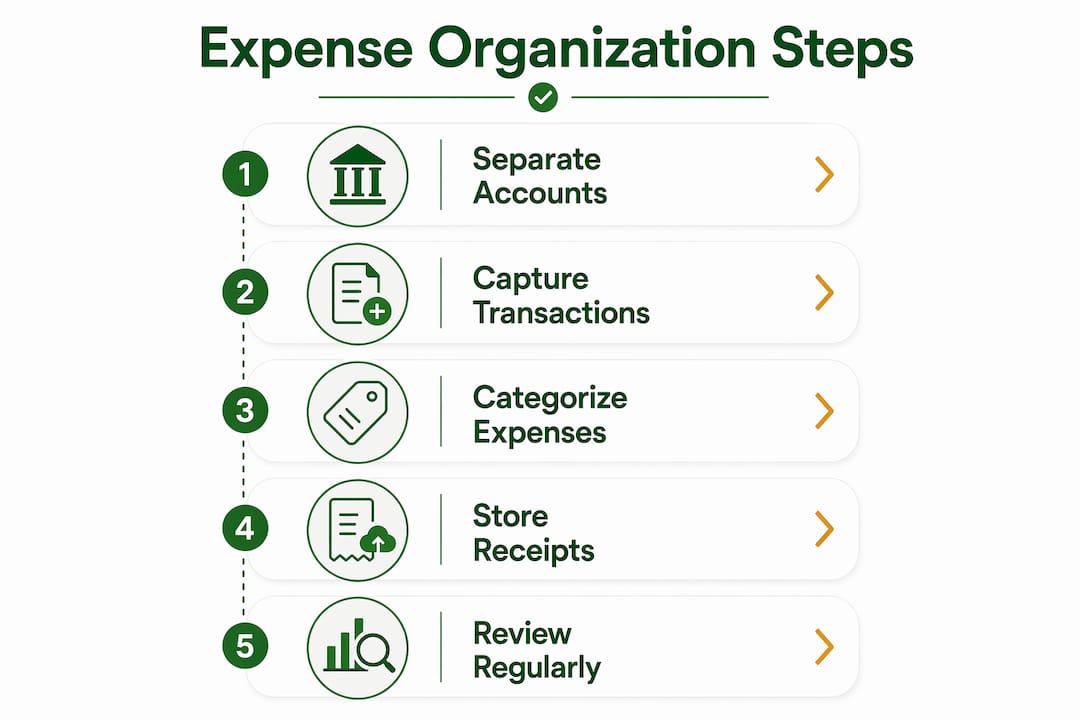
The foundation of organized business expenses is separating personal and business finances completely. Mixing personal and business accounts poses serious audit risks and undermines legal protections, especially for LLCs. That separation alone eliminates the most common source of disallowed deductions.
Once accounts are separate, you need a consistent system for capturing every transaction. The IRS does not accept "I think I spent about $400 on supplies." It requires documentation with dates, amounts, vendors, and business purpose. Building that habit from january through december makes tax prep a reporting exercise rather than a reconstruction project.
The right system also protects you if the IRS ever questions a deduction. Audit-ready records include digital receipts, bank statements, and a summary log that ties each transaction to a specific business purpose. Without that paper trail, even legitimate deductions can be disallowed.

What tools and systems help you track business spending?
Choosing the right tracking tool depends directly on your transaction volume. Businesses with fewer than 30 transactions per month can organize expenses effectively using a simple spreadsheet. More transactions require accounting software to reduce errors and maintain data integrity.
Cloud-based accounting platforms with automatic bank feeds eliminate most manual transcription errors. They pull transactions directly from your bank and credit card accounts, categorize them, and flag duplicates. Mobile apps within these platforms let you photograph receipts on the spot, which is critical for capturing expenses before paper fades or vendor links expire.
| Feature | Manual spreadsheet | Accounting software | Receipt scanner apps |
|---|---|---|---|
| Transaction entry | Manual | Automatic via bank feed | Semi-automatic |
| Categorization | Manual | Rule-based or AI-assisted | Manual with tagging |
| Receipt storage | External folder | Attached to transaction | Cloud-based image storage |
| Reconciliation | Manual | Automated matching | Partial |
| Best for | Under 30 transactions/month | 30+ transactions/month | Field-based businesses |
Automated expense management systems improve accuracy, reduce manual errors, flag policy violations, and generate audit-ready documentation that saves tax preparation time. That combination of speed and compliance is why most growing small businesses move off spreadsheets within their first two years.
Pro Tip: Connect your business bank account and credit card feeds to your accounting platform from day one. Automatic feeds cut manual entry errors and give you a real-time view of spending without touching a single receipt manually.
How to categorize expenses according to IRS standards
The IRS uses Schedule C to capture business income and expenses for sole proprietors and single-member LLCs. Understanding which category each expense belongs to prevent misreporting and reduces the chance of an audit flag.
The most common IRS-recognized expense categories for small businesses include:
- Advertising and marketing: Website costs, social media ads, print materials, and business cards
- Office expenses: Supplies, postage, and small equipment under the Section 179 threshold
- Travel: Airfare, hotels, and ground transportation for business trips (not commuting)
- Meals: 50% deductible when directly tied to a business meeting or client discussion
- Vehicle use: Actual expenses or the IRS standard mileage rate (track miles with a log)
- Home office: Calculated using the simplified method ($5 per square foot, up to 300 square feet) or actual expense allocation
- Professional services: Accountant fees, legal fees, and consulting costs
- Utilities: The business-use portion of phone, internet, and electricity
- Depreciation: Larger assets like computers and equipment deducted over time under MACRS rules
- Insurance: Business liability, professional indemnity, and health insurance premiums for self-employed owners
Partially deductible expenses require extra documentation. Meals need a note on who attended and the business topic discussed. Mixed-use assets like a laptop used for both personal and business tasks require a usage log showing the business percentage. Consistent categorization across all twelve months also supports better budgeting and forecasting decisions, not just tax reporting.
Step-by-step process for organizing receipts and expense records
A reliable documentation process follows six steps from the moment a transaction occurs to the point your accountant reviews the file.
Capture the receipt within 48 hours. Capturing receipt images within 48 hours preserves necessary context and prevents loss due to fading thermal paper or expired vendor links. Use your accounting app's mobile camera or a dedicated scanner app immediately after the purchase.
Name files consistently. Use a standard format such as YYYY-MM-DD_Vendor_Amount (for example, 2026-03-15_OfficeDepot_47.82). Consistent naming makes bulk searches fast and reduces time spent hunting for a specific receipt during reconciliation.
Store files in a structured cloud folder. Organize by year, then by month or category. Cloud storage protects against hard drive failures and gives your accountant remote access without email attachments.
Maintain a summary spreadsheet. Providing accountants a summary spreadsheet with one row per receipt, including the date, vendor, amount, category, and filename, enables quick anomaly checks without opening every file. This single step cuts accountant review time significantly.
Reconcile monthly. Compare your summary spreadsheet against your bank and credit card statements every month. Monthly reconciliation catches misclassifications, duplicate entries, and missing records before they compound into a year-end problem.
Retain records for the IRS-required period. The IRS recommends keeping business expense records for at least 3–7 years depending on expense type, with employment tax records requiring at least 4 years of retention. Property and asset records should be kept for 6–7 years.
| Record type | Minimum retention period |
|---|---|
| General business expenses | 3 years |
| Employment tax records | 4 years |
| Property and asset records | 6–7 years |
| Fraud-related records | Indefinite |
Pro Tip: Add a one-line note to every meal, travel, and entertainment receipt before you file it. Write who attended and the business purpose. That note is exactly what the IRS asks for during an audit, and writing it in the moment takes ten seconds.
Common mistakes that complicate small business tax prep
Most tax-season problems trace back to habits formed, or not formed, during the year. Recognizing these mistakes early prevents costly corrections.
- Mixing personal and business expenses. Separating personal from business accounts greatly reduces the risk of disallowed expenses. When accounts are mixed, every transaction becomes suspect and the IRS can challenge your entire deduction list.
- Delaying tracking until tax season. Reconstructing a year of expenses from memory and partial bank statements produces inaccurate returns and missed deductions. Real-time tracking is the only reliable method.
- Missing business purpose documentation. A receipt showing $85 at a restaurant proves you spent money. It does not prove a business meal. Without a note on who attended and why, the deduction is vulnerable.
- Overlooking partial deductions. Many small business owners skip meals and home office deductions because the rules feel complex. Those deductions are legitimate and often substantial. Learn the rules once and apply them consistently.
- Skipping monthly reconciliation. Errors caught in february are easy to fix. Errors discovered in april, when you are filing, create delays, amended returns, and sometimes penalties.
"The critical failure point for receipt systems is capture, not storage. Most businesses have a place to put receipts. Very few have a reliable habit of capturing them immediately, with the context needed to make them audit-valid."
Key takeaways
Systematic expense organization throughout the year is the single most effective way to reduce tax prep time, maximize deductions, and stay audit-ready.
| Point | Details |
|---|---|
| Separate accounts first | Open a dedicated business bank account and credit card before tracking anything else. |
| Match tools to volume | Use a spreadsheet for under 30 monthly transactions; switch to accounting software above that threshold. |
| Capture receipts within 48 hours | Digital capture within 48 hours preserves audit validity and prevents data loss from fading paper. |
| Retain records 3–7 years | IRS retention rules vary by record type; property records require up to 7 years of storage. |
| Reconcile every month | Monthly reconciliation catches errors early and prevents year-end reconstruction problems. |
Why expense organization is a business advantage, not just a compliance task
Most small business owners treat expense organization as a tax obligation. That framing is too narrow. True expense management shifts from tedious administration to strategic budgeting and tax planning, giving you real visibility into where money actually goes.
When I work with business owners who have clean, categorized records, the conversation changes immediately. We stop talking about what happened and start talking about what to do next. Which expense categories are growing faster than revenue? Where are the deductions being left on the table? Clean data answers those questions in minutes.
The shift from manual tracking to AI-assisted accounting workflows is the single biggest productivity gain I have seen for freelancers and small business owners in the past five years. Automation does not replace judgment. It removes the bottleneck of data entry so that judgment can be applied where it actually matters.
Discipline in real-time tracking also changes how you collaborate with your accountant. When you hand over a structured summary spreadsheet and a cloud folder of named receipts, your accountant spends time on strategy rather than data cleanup. That translates directly into lower accounting fees and better tax outcomes.
— Ian
Taxbatchpro makes tax-ready expense organization faster
Pulling together a year of bank and credit card statements for tax prep is the part of the process that costs the most time. Taxbatchpro eliminates that bottleneck by converting scanned statement PDFs into structured, IRS-ready Excel spreadsheets in under 90 seconds. Transactions are automatically mapped to IRS Schedule C categories, so the categorization work is done before you open the file.
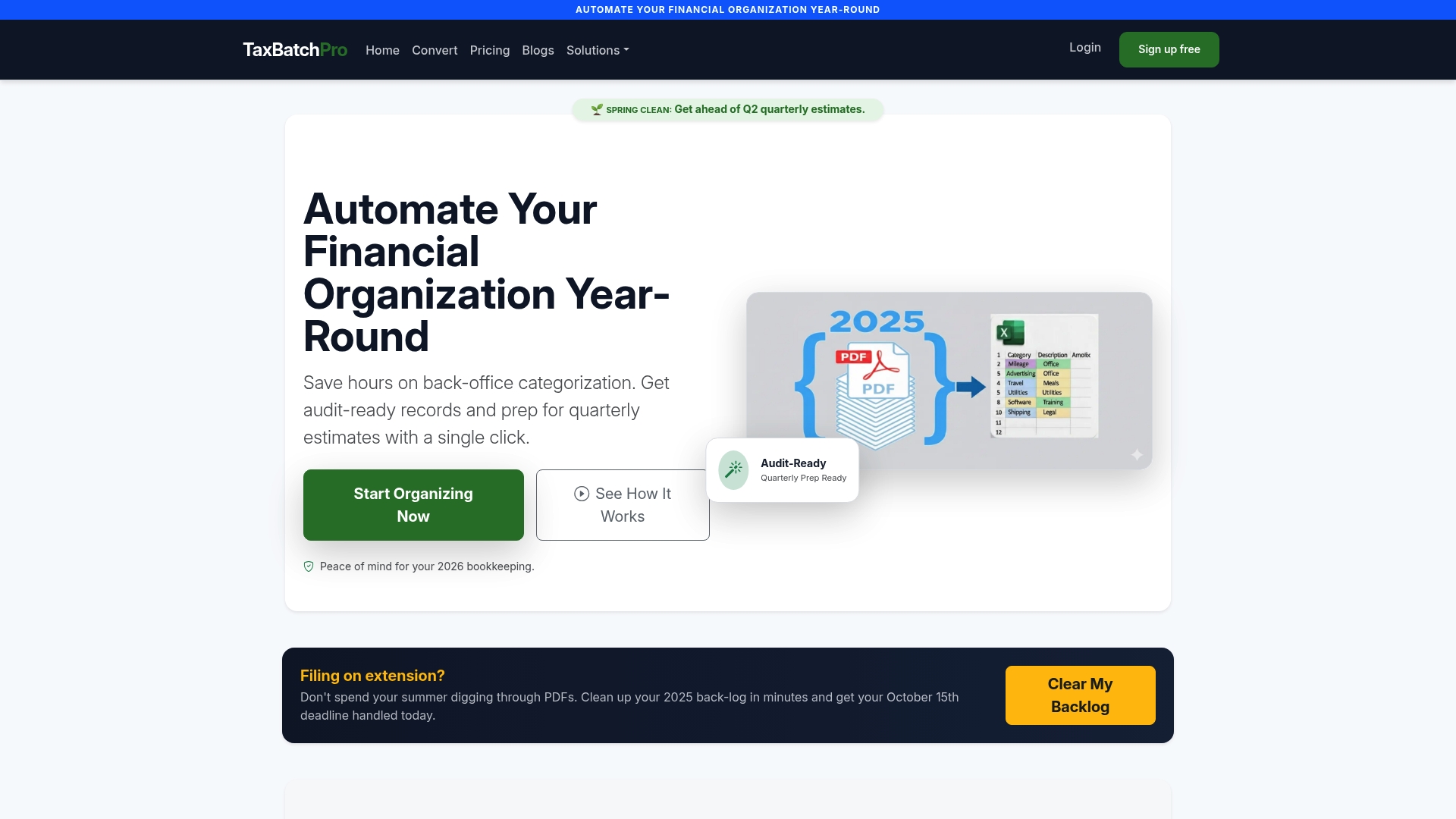
Freelancers and small business owners upload statements in batch, and Taxbatchpro extracts and organizes the data with the data integrity needed for audit defense. Accountants receive a clean, structured file they can review immediately rather than spending hours on manual transcription. For anyone serious about automating their bookkeeping before the next tax deadline, Taxbatchpro is the place to start.
FAQ
What does it mean to organize business expenses for tax time?
Organizing business expenses for tax time means categorizing, documenting, and storing all business transactions in a format that meets IRS requirements. The goal is a complete, accurate record that supports every deduction claimed on your return.
How long should I keep business expense records?
The IRS requires most business expense records to be kept for at least 3 years, employment tax records for 4 years, and property or asset records for 6–7 years. When in doubt, keep records longer rather than shorter.
What are the most common expense categories for small businesses?
The most common IRS-recognized categories include advertising, office supplies, travel, meals (50% deductible), vehicle use, home office, professional services, utilities, depreciation, and insurance. These align with Schedule C line items for sole proprietors and single-member LLCs.
When should I switch from a spreadsheet to accounting software?
Switch to accounting software when your business exceeds 30 transactions per month. Above that volume, manual spreadsheet entry introduces too many errors and makes monthly reconciliation unreliable.
How do I make receipt documentation audit-proof?
Capture a digital image of every receipt within 48 hours of the transaction, add a note with the business purpose and attendees for meals and entertainment, and store files in a consistently named cloud folder. That combination satisfies IRS documentation standards for substantiating deductions.